Every module, engineered around one idea: your agency owns everything
Your servers, your storage, your Stripe account, your client relationships, your domain on the portal. WPClientHub is the command center — never the landlord.
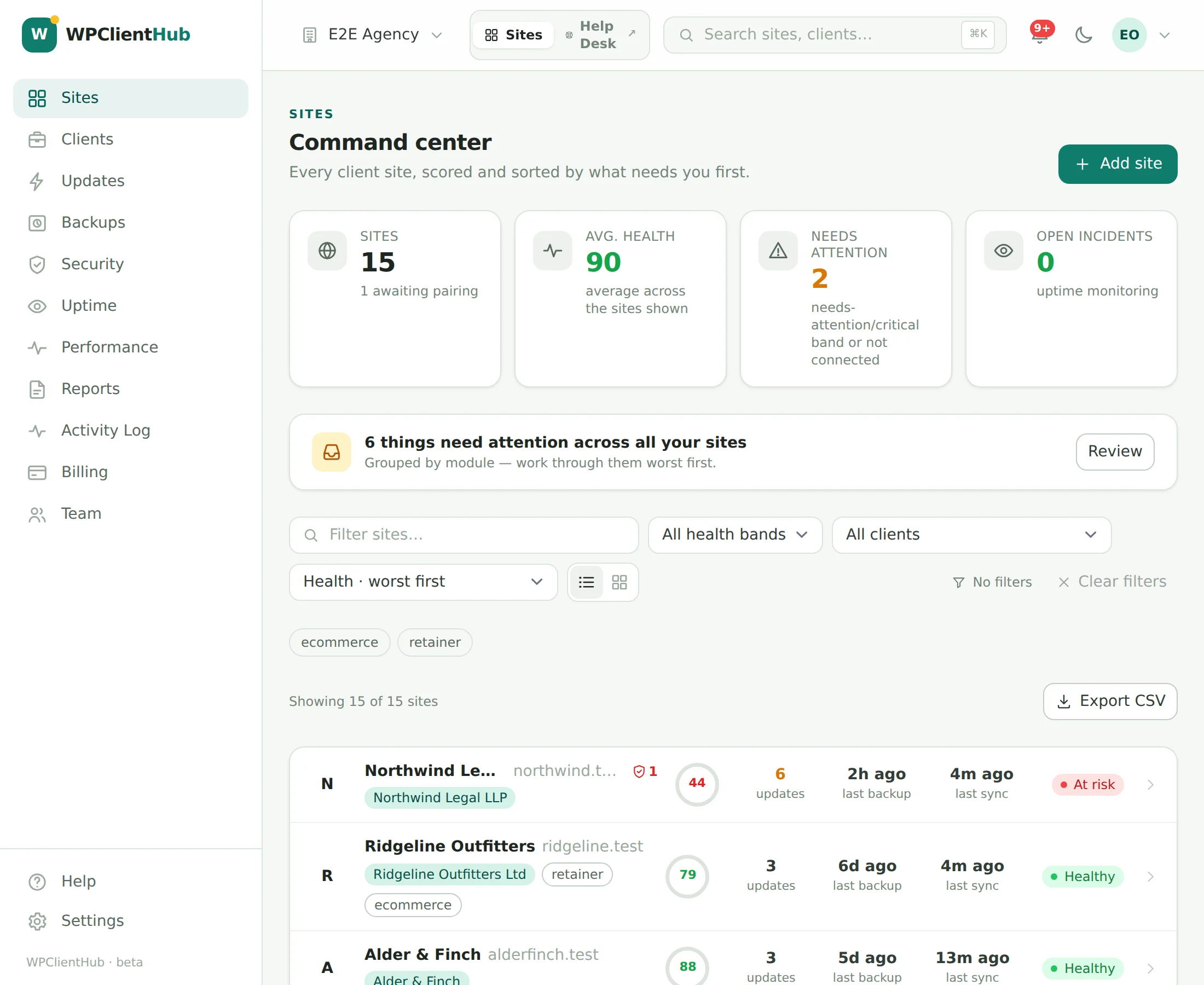
Every site you manage, sorted by what needs you
One computed health score per site — 0 to 100, from pending updates, backup freshness, offsite coverage, vulnerabilities, uptime, PHP version and SSL — replaces the wall of status icons that stops making sense past twenty sites.
- Action Inbox aggregates everything that needs attention across every site — open incidents, core and plugin updates, sites never backed up — grouped by module, workable in bulk.
- Transparent scoring: every number expands into its exact deductions (core −10, a critical vulnerability −10, no offsite copy −10…) — no black-box “site grade”. Recomputed on every event and reconciled nightly.
- Scale tooling: labels, client grouping, search, health-band filters, list and grid views, worst-first sorting, every filter in the URL, CSV export.
- One-click login into any wp-admin via single-use, sixty-second signed tokens — logged, and never a stored WordPress password.
- Site notes for your team only — client preferences, access details, hosting quirks. Pinned notes sit at the top of the site and next to its updates before they run (“ask Priya before updating WooCommerce”); never in client reports or the portal (how notes work).
Updates that check their own work
Every scheduled update runs the same loop: a restore point on the site first, then the updates, then a real-browser screenshot diff of the pages you nominated. Under your threshold it ships and logs itself; over it, the batch is held for review with the before/after pair attached and an alert raised.
- Visual diffs on the pages you choose — homepage, checkout, booking form — captured by headless Chromium at 1366×900, with a per-page breakdown of what moved and a threshold you set (25% by default).
- Approval queue or auto mode, per site, in the site’s own maintenance window — Tuesday 03:00 site-time, never during launch week.
- Automatic rollback, if you want it: when a diff exceeds the threshold, the batch’s own pre-update restore point is restored automatically — safety backup first, atomic switch-over — and everyone who would have been paged for the review is told it was rolled back instead.
- In-row updates with live progress: update one plugin from the pending list or fifty across the fleet; succeeded items slide into “recently updated”, failures turn red with the error and a Retry button.
- WPClientHub One updates itself, in waves: roll a new plugin release to canary sites first, watch, then advance or halt — from the hub, owner/admin only.
Rollback is a per-policy switch, off by default: leave it off and an over-threshold batch stops, keeps the restore point ready and waits for you; turn it on and the site is restored on its own, the batch stays marked for review with the before/after pair and the restore linked, and the alert says which happened.
Read: how safe-update pipelines work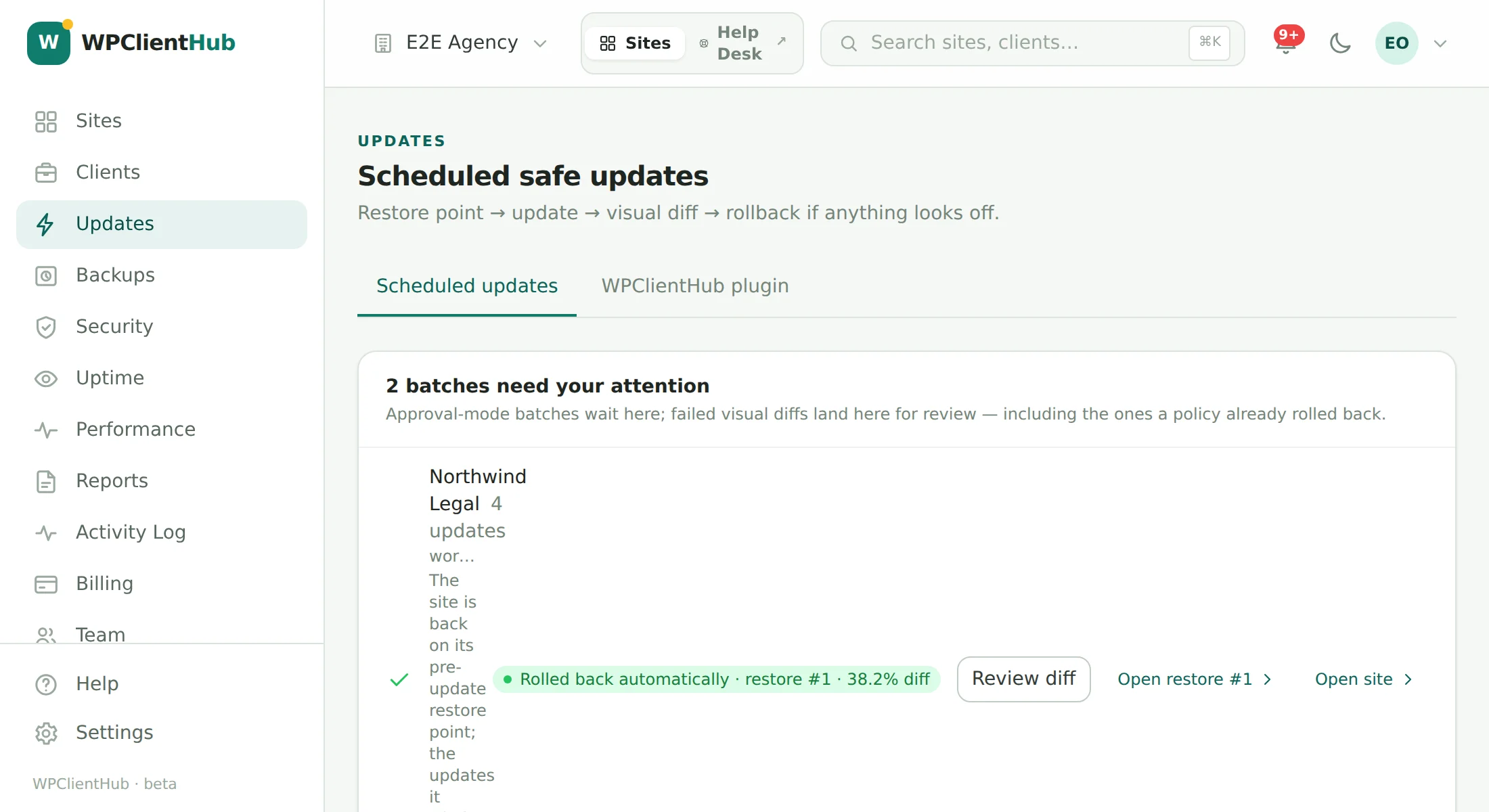
Built on the client’s server. Replicated to yours. Restored in one click.
Every restore point is built on the client’s own server, in a web-denied directory inside wp-content, then streamed to storage you own. WPClientHub receives the manifest, the checksums and the outcome — and not one byte of the archive. There is nothing for us to meter, nothing for us to lose, and nothing to ask us for if you leave.
- Offsite to storage you own: S3-compatible (AWS S3, Backblaze B2, Wasabi, Cloudflare R2) or SFTP with a password or SSH key on every plan — and, from Studio, your agency’s own Google Drive or Dropbox, connected in one sign-in with access to WPClientHub’s own folder only. Every destination is write-tested from a site before it is used; credentials are encrypted at rest and wiped from the job when it finishes.
- One-click restore from the dashboard: a safety backup of the current state first (the restore aborts if it fails), checksums verified, database imported into shadow tables, files unpacked to staging — then an atomic switch-over. WPClientHub One, its keys and the site URL are preserved. Cancel any time before the switch.
- Database and files, in resumable phases: db → files_scan → files_zip → manifest, each step time-boxed to survive shared-host execution limits, driven by a guarded loopback with WP-Cron as a fallback — a backup finishes even if the hub stops polling.
- Standalone restore script ships inside every backup set: one PHP file that verifies checksums, extracts, imports the database, can rewrite the site URL, and deletes itself when done — no dashboard required.
Google Drive and Dropbox, straight: each site uploads in resumable 8 MB chunks with a one-job token (the long-lived grant never leaves WPClientHub), every file is checked against Google’s or Dropbox’s own checksum, and the newest 30 backups per site are kept there (how it works). Not yet: archives are not encrypted by us at rest on the destination — the storage’s own encryption applies.
Read: where backups should live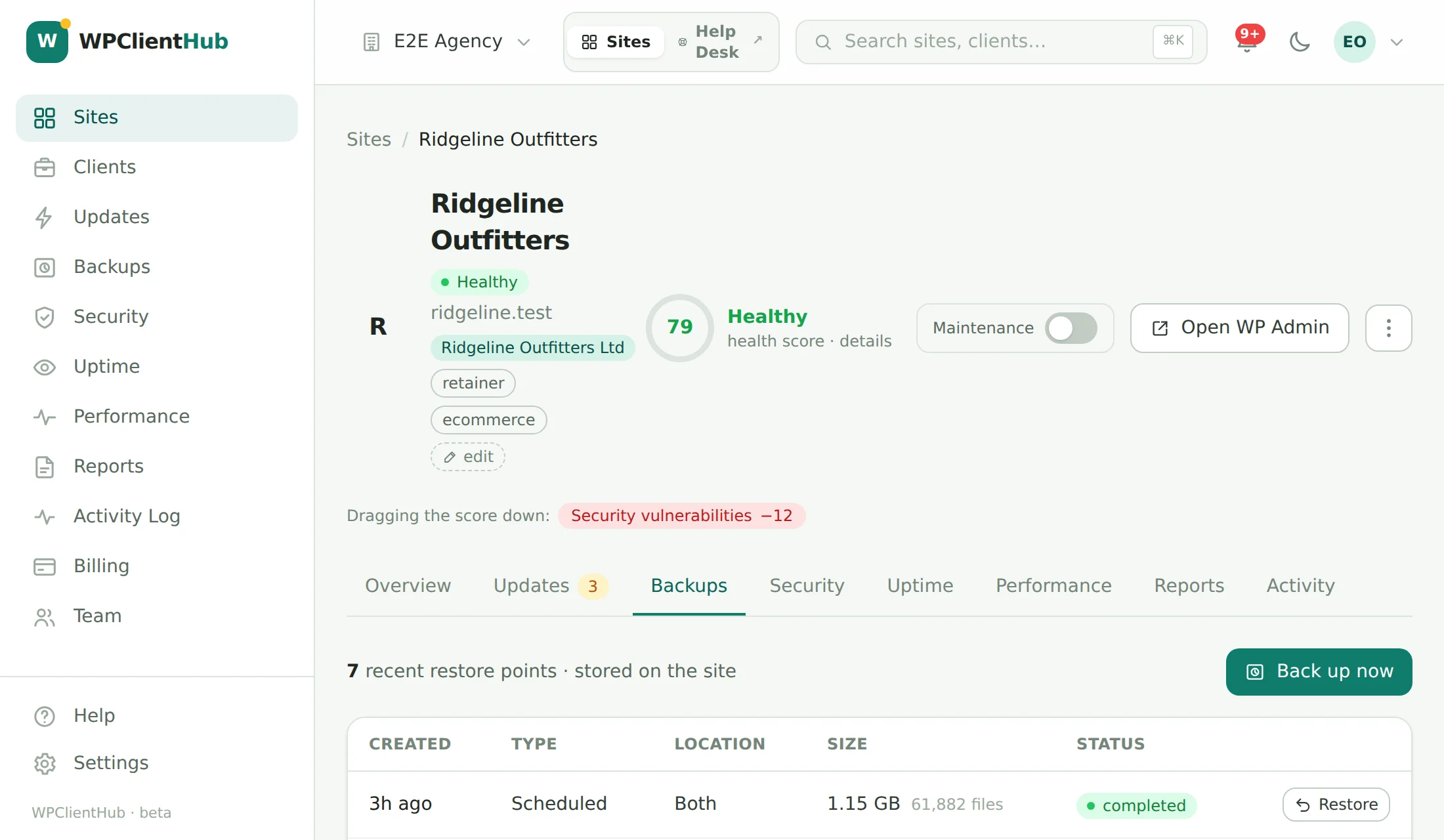
A tidy database, with a restore point first
Years of saved revisions, auto-drafts, spam nobody emptied, data left behind by deleted posts and plugins, and transients that expired months ago — it all makes backups bigger and some queries slower. Each site’s Database card shows what is there; a cleanup removes exactly what you tick, on every plan, Free included.
- See it before you touch it: Analyze only reads — the database size, the free space in each table, and a count (with an estimated size) of revisions beyond the newest five of each post, old auto-drafts, trash and spam, orphaned post, comment and category data, expired transients and oEmbed caches.
- A restore point first, every time the site has backups: a full backup, labelled “Before database cleanup”, and the cleanup waits for it. If it fails, nothing is cleaned unless you explicitly chose to run without one.
- Safe by construction: rows go 500 at a time through WordPress’s own delete functions wherever one exists, about 20 seconds per call, never alongside a backup or restore. Users, WooCommerce orders, settings other than expired transients, trashed media and plugin tables are never touched.
- Optimize only where it helps: MyISAM tables with free space, and InnoDB tables only when the space is real (16 MB and a fifth of the table) — not a blind OPTIMIZE of every table.
- On a schedule, and on the record: weekly or monthly per site, in your timezone; each cleanup is one line in the activity log and the client report — “removed 1,240 revisions and 3,200 expired transients — 48 MB smaller”.
Straight about it: needs WPClientHub One 0.10.0 on the site. On InnoDB, deleted rows free space inside the table that the database reuses; the files only shrink when a table is rebuilt, so “MB smaller” appears only when it really is.
How database cleanup worksKnow where you’re exposed — and when a site has been tampered with
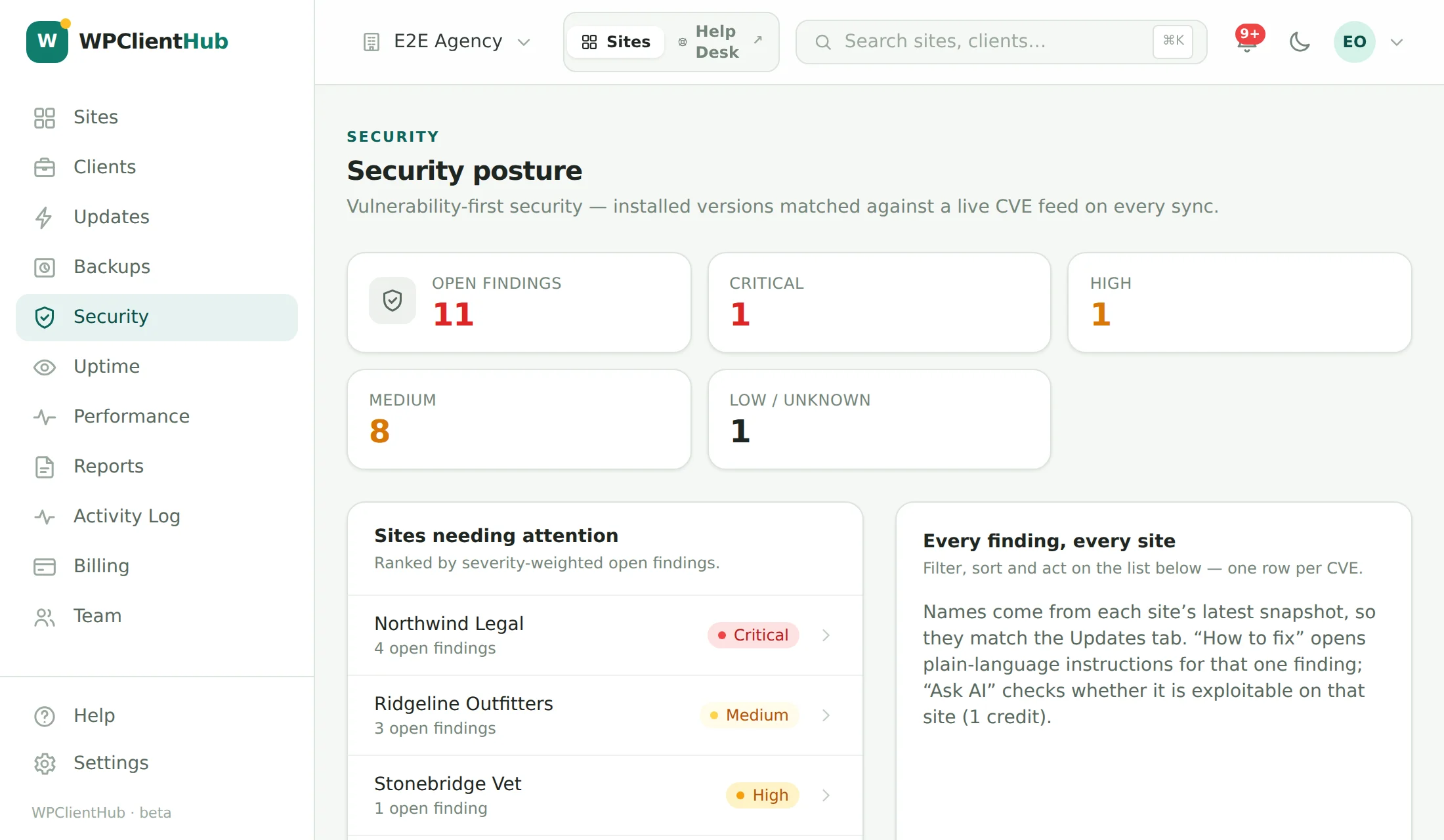
Every installed plugin, theme, and core version on every site is matched on each sync against a live public WordPress vulnerability feed, and the whole fleet is rescanned daily — so “are we exposed anywhere?” is a query, not an audit. A daily file check answers the other question — “has anyone been in here?” — and every finding tells you what to do.
- One row per finding with severity, CVSS, and the affected range matched to the exact version each site runs — filter by severity and status, search by CVE, sort, export CSV, ignore or resolve in bulk.
- How to fix, in four parts for every finding: what this is, the recommended fix, how to verify, and what to do if you can’t update today — drawn from the CWE, the CVSS vector and a curated remediation library.
- Ask AI: is it exploitable on this site, why, what happens if you ignore it, and the mitigations — with a confidence score. One credit; three runs per finding per day; under 50% confidence it says “needs a person”.
- File integrity, daily: WordPress core and every WordPress.org plugin are checked against the official checksums; the scan also flags PHP inside uploads, emptied or extra core files, hidden files disguised as icons, dropper folders, unknown PHP in the web root and must-use plugins nobody recognises (hosting-company ones are known). Every newly connected site gets the same check within minutes — an infected migration shows up on day one.
- Respond without leaving the dashboard: reinstall WordPress core or a plugin from WordPress.org, move a suspicious file into quarantine (never deleted — one click puts it back), rotate the security keys to sign everyone out, and see the last restore point taken before a clean scan. Every action is in the activity log.
- Hardening that is on by default: PHP can’t run from the uploads folder and the wp-admin file editor is switched off; XML-RPC logins can be blocked per site. Checks for core version, PHP, WP_DEBUG, HTTPS, administrator count and inactive plugins — a check the sync can’t judge is a warning, never a failure.
- Login protection that escalates: an IP is locked out after five wrong passwords, repeat offenders for 24 hours, and a username being guessed from many addresses is locked for unknown IPs while its owner’s usual addresses still get in. Blocked attempts are logged as blocked, not as hundreds of wrong passwords — and a burst of them, a sign-in right after a run of failures, or a new administrator account is an alert.
What it isn’t: the file check compares against WordPress.org and looks for the patterns compromises leave behind; it is not a malware-signature scanner or a firewall, and premium plugins that WordPress.org doesn’t publish checksums for are listed as unverifiable rather than passed. It runs inside WPClientHub One in short, time-boxed steps, once a day, and adds nothing to the site’s front end.
An alert you can trust at three in the morning
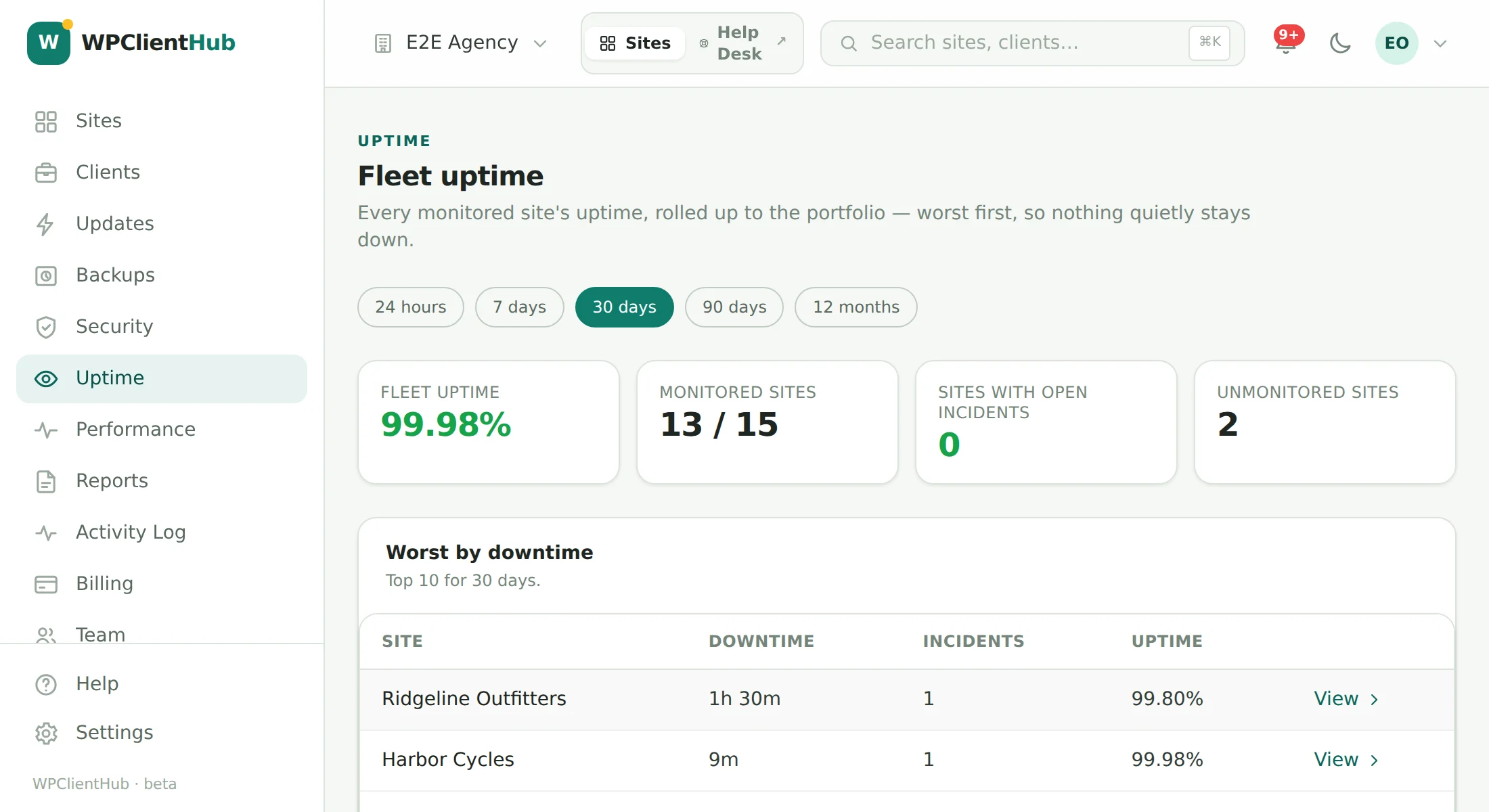
Every site is checked once a minute by a probe that runs outside the app, so an outage of ours can’t look like an outage of yours. A single failed check never pages anybody: an incident opens only when a second check confirms it, and closes itself on the first success with the downtime recorded.
- Confirmation before escalation — two consecutive failures to open, backdated to the first, so the incident duration is honest rather than flattering. Reminders at 30 minutes, 2, 6 and every 12 hours while it lasts; a recovery notice on the way back.
- Every period, every number: 24 hours to 12 months or a custom range, with uptime %, total downtime, MTTR, longest incident, average and p95 response time, a per-region breakdown when more than one probe reports, and an SLA target per site (99.9% by default) with a met/missed badge.
- Fleet view: portfolio uptime, sites with open incidents worst-first, the top ten by downtime, and the sites you forgot to monitor.
- SSL expiry, keyword and content checks — the page renders what it should, not merely a 200 — plus redirect chain and time-to-first-byte on every check. A blank page or a WordPress “critical error” served with a 200 counts as down, not up. Incidents export to CSV.
Straight about scale: production runs a single probe region today. The agent is built to fan out and every result is stamped with the region it came from, but alerting relies on confirm-and-recheck, not a region quorum — because we don’t have one yet.
The domain renewal nobody owned, caught a month early
A lapsed domain takes the website and the client’s email down, and after the grace period it can be gone for good. Every site’s domain is checked daily — the registration straight from the registry, the DNS from the outside — on every plan, Free included.
- Expiry, registrar and status from the registry itself over RDAP, the structured successor to WHOIS — never scraped. The apex comes from the Public Suffix List, so shop.example.co.uk is watched as example.co.uk. Registries that don’t publish an expiry date are labelled as such; we don’t guess one.
- Warnings at 30, 14, 7, 3 and 1 days and on the day it expires — each once, re-armed by the renewal — plus an immediate email if the registry puts the domain on hold, pending delete or redemption. Through your normal alert routing: email, Slack, webhooks.
- Nameserver and address changes, the classic sign of a hijacked registrar account or a lapsed, parked domain: looked at twice, ten minutes apart, then logged and emailed (“Nameservers for brightleaf.co changed from … to …”). Mail-server changes are logged, not paged.
- Everywhere it matters: a Domain card on each site, a Domains tab sorted by soonest expiry, a Domain registration row in the Security report with the fix spelled out, a modest health-score deduction in the last week, and the expiry date in client reports.
Every login on every client site, in one list
Agencies collect WordPress accounts: a contractor added to six sites last spring, an “admin” left over from the build, a client’s former employee who still has Editor. Sites → WordPress users shows every account on every connected site, grouped by person, with their role on each — and changes them across sites in one go.
- One list, by person: every account grouped by email address, a role chip per site, last sign-in, and two-factor status where a supported 2FA plugin is installed. Filter by role or site, or show only administrators, people on several sites, or accounts nobody has used in 90 days.
- Add, re-role or remove across sites at once — confirm a summary first, then see the result for every site. Removing someone hands their posts and pages to another user you pick on each site (the site’s first other administrator by default), and a site’s last administrator can never be removed or demoted.
- Reset a password or sign someone out everywhere with WordPress’s own reset email. New accounts get WordPress’s set-password email, or a one-time password shown to you once and never stored. Every change lands in the activity log with who made it.
- In the Security report on every plan: administrators called “admin”, “administrator” or “test”, and administrators nobody has signed in as for 90 days, each with the fix spelled out.
Straight about it: WordPress doesn’t record when someone last signed in. The WPClientHub One plugin starts recording it from version 0.11.0, so until a site has some history the list says “Not recorded yet” rather than guessing.
How user management worksSee a site drifting before anyone complains
A page doesn’t get slow overnight; it gets slow over two quarters, and nobody notices until a client does. Turn measurement on per site, run it on a schedule or on demand, and keep the history — so the drift shows up as a line rather than a complaint.
- Mobile and desktop, every run. Both form factors are measured in sequence — mobile first, because it is the slower one and the one Google ranks on.
- Lab scores plus real-user field data where Google has enough traffic to report it, so you can tell “slow in the lab” from “slow for actual visitors”.
- What to fix first, from the run’s own diagnostics, with page weight in requests and bytes.
- Report-ready: “mobile performance 58 → 84 since March” is a client sentence, and the performance history writes it for you.
Pages answered before WordPress loads — purged the moment they change
A full-page cache that lives on the client’s own server, inside the WPClientHub One plugin: a page a visitor who is not logged in asks for is stored once and the next visitor gets the copy before WordPress, the theme or the database are touched. No CDN, no third-party service, nothing leaves the site — and it is on every plan, Free included.
- Served the fast way: an advanced-cache.php drop-in answers cached pages before WordPress boots; on Apache and LiteSpeed the web server itself can answer them from rules we check with a request to the site (nginx gets a snippet). Gzip copies for browsers that accept them. If the plugin is ever gone, the drop-in does nothing and the site simply works.
- Never the wrong page: logged-in visitors, WooCommerce and EDD carts, checkouts and accounts, password-protected and private posts, previews, search, feeds, POST, redirects, errors and anything that sets DONOTCACHEPAGE are never cached — nor are the paths and cookies you exclude. Tracking parameters like utm_* are ignored so they don’t bust the cache.
- Smart purge, then warm again: a post, page, comment or term change purges its page, the front page and its listings; a theme, plugin, menu, widget, Customizer or core change purges everything; an update batch, a restore, a database cleanup or an image run from WPClientHub purges everything — on the site, in WP Rocket & co. where they are installed, and on Cloudflare where it is linked. After a full purge the site warms its pages in the background.
- Browser caching and compression rules for static files in a marked block of .htaccess; optional HTML minify and script defer, off by default. The card shows the share of page views served from the cache, pages and size, Purge all and Purge by URL, and the site’s own purge log; reports and the Activity Log carry it; the API purges it.
Straight about it: needs WPClientHub One 2.0 on the site. If WP Rocket, LiteSpeed Cache, W3 Total Cache, WP Super Cache, WP Fastest Cache, Cache Enabler, Breeze or Speed Optimizer is active — or the host caches pages, as Kinsta, WP Engine, Pantheon and Flywheel do — we say so and stay off; purging from the dashboard still goes through that plugin’s or host’s own purge function. No object cache, no CDN; multisite not yet.
What is cached, what never is, and how purging worksA score you can defend to a client
SEO Health crawls each site the way a search engine does — following its own sitemap and internal links — and checks the on-page fundamentals: titles and meta descriptions, a single H1 with a sane heading order, image alt text, canonical tags, robots directives, broken internal links, and structured data. Everything rolls up into one 0–100 score.
- Four honest bands: Excellent (90–100), Good (70–89), Needs attention (40–69), Critical (0–39) — a crawl that can’t complete reports the affected checks as skipped, never as a quiet pass.
- Scheduled, not one-off: weekly on Free, daily from Studio up, plus an on-demand rescan any time.
- Search Console sync from Studio up adds real query and impression data next to the crawl findings.
- White-label PDF, from Studio up — your logo and colors, ready to send to a client.
What an AI assistant already thinks about the business
Search is no longer just Google. AI Visibility runs 28 checks for how readable a site is to AI crawlers and assistants — is GPTBot, ClaudeBot or PerplexityBot blocked, is there an llms.txt, does the homepage carry Organization and WebSite schema, are answers direct enough to quote — and can probe real AI assistants with no context fed to them, to see what they already say about the business.
- 28 checks, same four bands as SEO Health — robots access for the major AI crawlers, llms.txt, schema (Organization, WebSite, Article, FAQ, Breadcrumb), question-style headings, direct answers, visible dates and bylines, thin or JS-only content.
- The Ask AI probe asks real assistants a set of questions with zero site context — on purpose, to measure what the model already knows — and classifies each answer against the site’s own facts as correct, partial, incorrect, or “doesn’t know”. One credit per probe run.
- Same schedule as SEO Health: weekly on Free, daily from Studio up, plus on-demand rescans and probes.
- White-label PDF, from Studio up, alongside the SEO Health report.
Fix what the score found, without leaving the tab
Every page’s title, meta description, canonical URL, noindex and social-sharing fields, editable inline or in bulk — written into Yoast SEO, Rank Math, All in One SEO or SEOPress’s own fields when one of them runs the site, so the client’s plugin keeps working exactly as before, just with better values. Redirects with hit counts, a 404 log, robots.txt, the sitemap and basic schema come with it.
- One source of truth, never two sets of tags: the SEO plugin on the site stays in charge of output and templates; we read and write its fields. On a site with no SEO plugin WPClientHub One keeps the fields and prints the tags itself.
- Draft with AI, one credit a page: a title and description written from the page’s own text — nothing is saved until you press Save. A save carries what you saw, so an edit made in wp-admin in between is a conflict, never an overwrite; every change can be undone.
- Redirects & 404s: 301/302/307/308/410 with hit counts, CSV in and out, loops refused before they are sent, and the 404 log’s missing addresses turned into redirects with one click.
- robots.txt that won’t let you block the site by accident: a live read of what the text does, a diff of today’s file against the new one, and a Disallow: / only applied when you confirm it twice. Sitemap tuning and JSON-LD schema only where no plugin provides them.
Straight about it: SEO management edits fields; it does not promise rankings. With The SEO Framework, Slim SEO, SmartCrawl or Squirrly on a site, page fields are read-only (redirects, the 404 log and robots.txt still work). Redirects run inside WordPress, so purge a page cache after adding one for a cached address.
Fields, plugins and the safety rulesWho changed what, and when — on every site
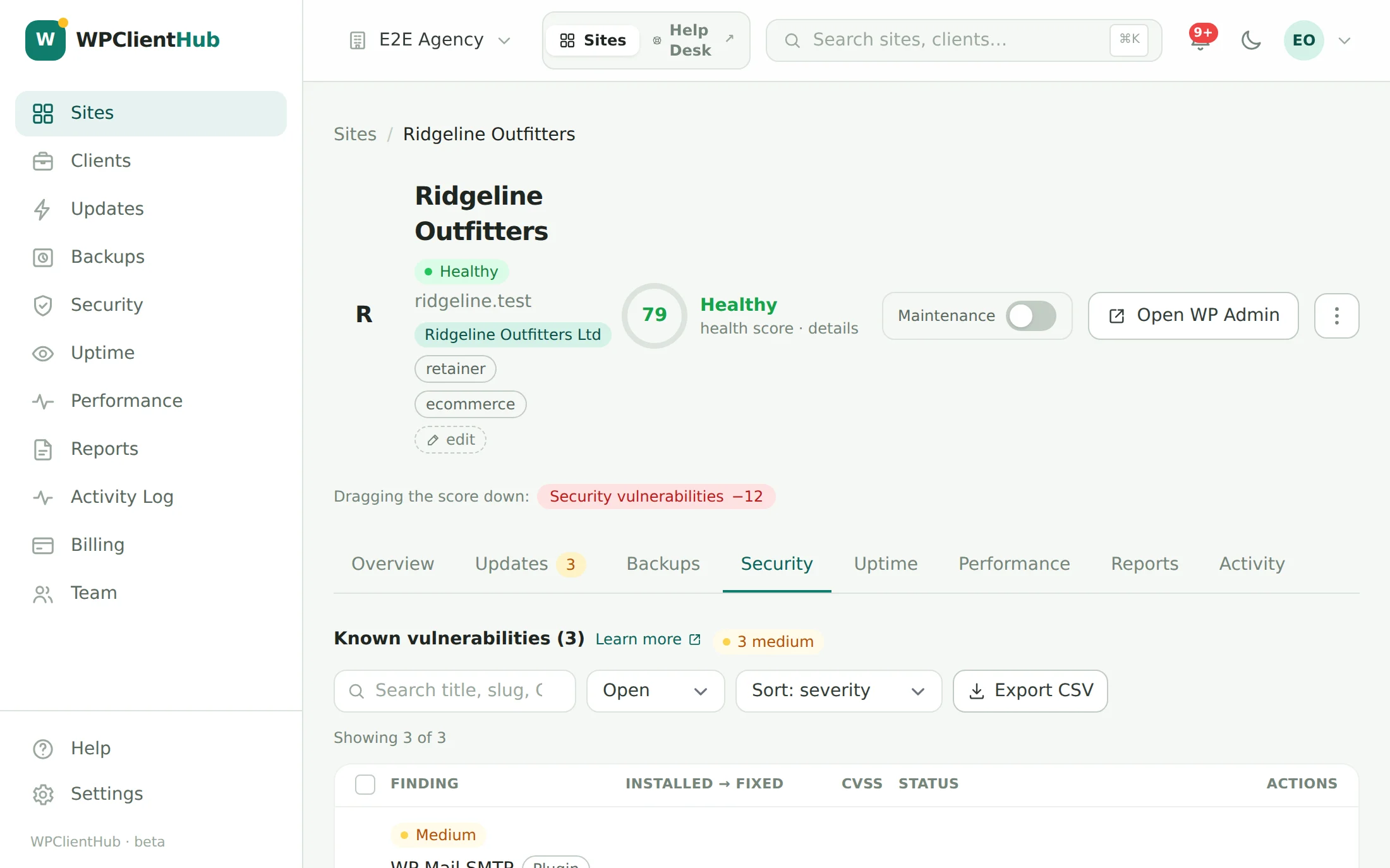
Every change on a client’s WordPress site is recorded the moment it happens, and so is every action your team takes inside WPClientHub — including every help desk reply. One combined history per site, in plain language: where “who changed this?” gets answered, and where a run of failed logins stops being invisible.
- Entries a client could read: “admin published the post Spring Sale” — with the exact time, the person, their IP address, and the browser they used.
- Captured automatically: content, plugins, themes, core updates, users and roles, settings, media, store orders, support requests — and every login, successful or failed.
- One timeline, both sides: what happened on the site and what your team did in WPClientHub share a single feed — per site, and across the whole account.
- Filter, then export: category, action, person, source, IP, date range, free-text search — then download exactly that view as CSV or JSON. Twelve months of retention.
The monthly report writes itself
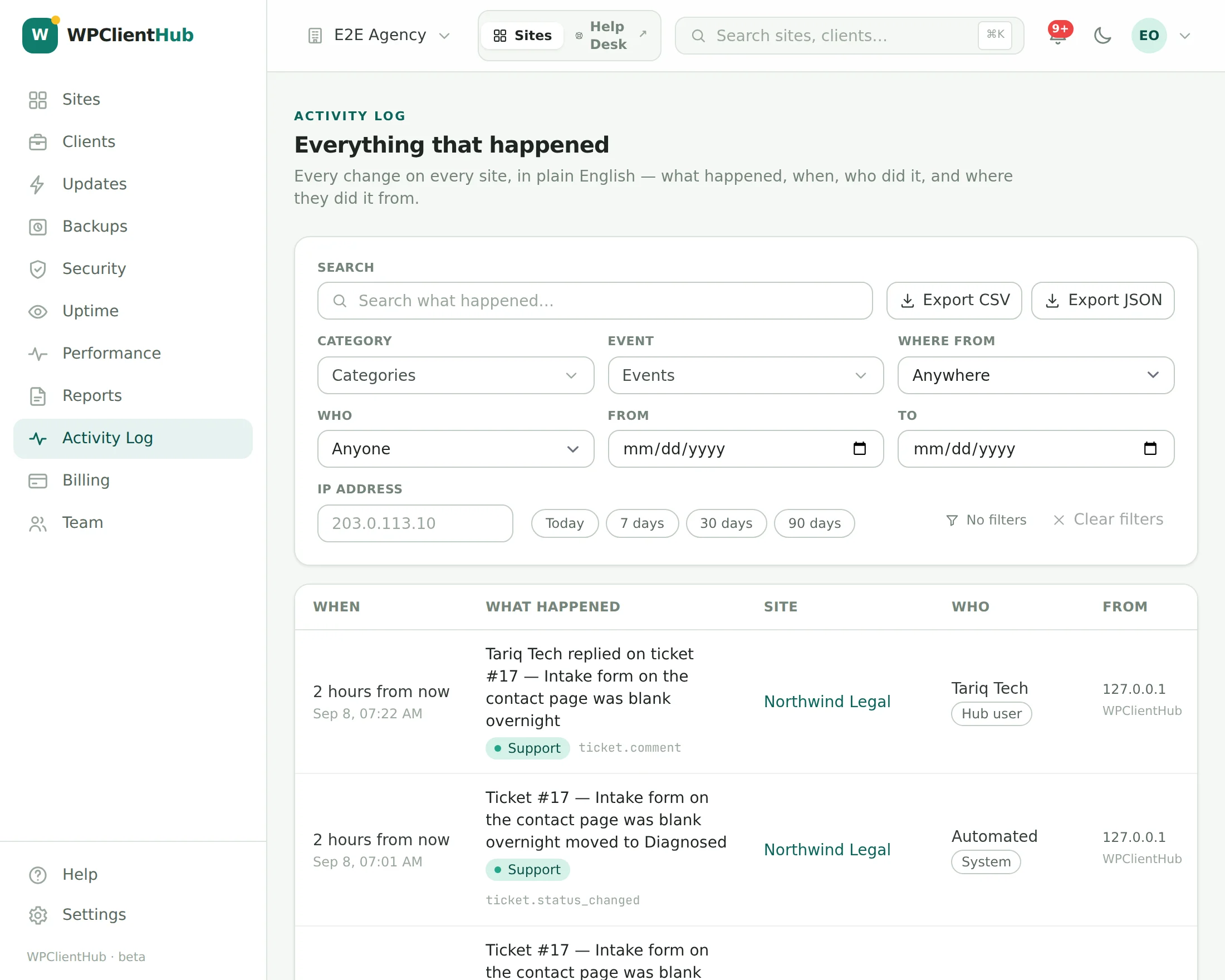
Every update, backup, incident, scan, and fix across every site you manage lands in a proof-of-work feed as it happens. The report builder assembles that feed into a branded PDF on whatever schedule you set.
- Templates decide the sections and their order: updates, backups, uptime, security, performance — summary or detailed, per client.
- Your brand kit: logo, colors, and the sender name the client sees — and “powered by WPClientHub” is off by default, not a paid upgrade.
- Schedules per template and site, with the client’s own report recipients; every past run stays under Generated reports, downloadable and re-sendable.
- Proof-of-work feed means the report is evidence, not marketing — the strongest churn-prevention asset a care plan has.
Whose address it comes from: the report email always carries your agency’s name, and replies go to your support address. On Agency and Scale it comes from your own address too — add the DNS records Settings → Email sending shows you, once, and every client email is sent from it, signed for your domain. On Free and Studio the address underneath is ours.
Read: the checklist clients pay for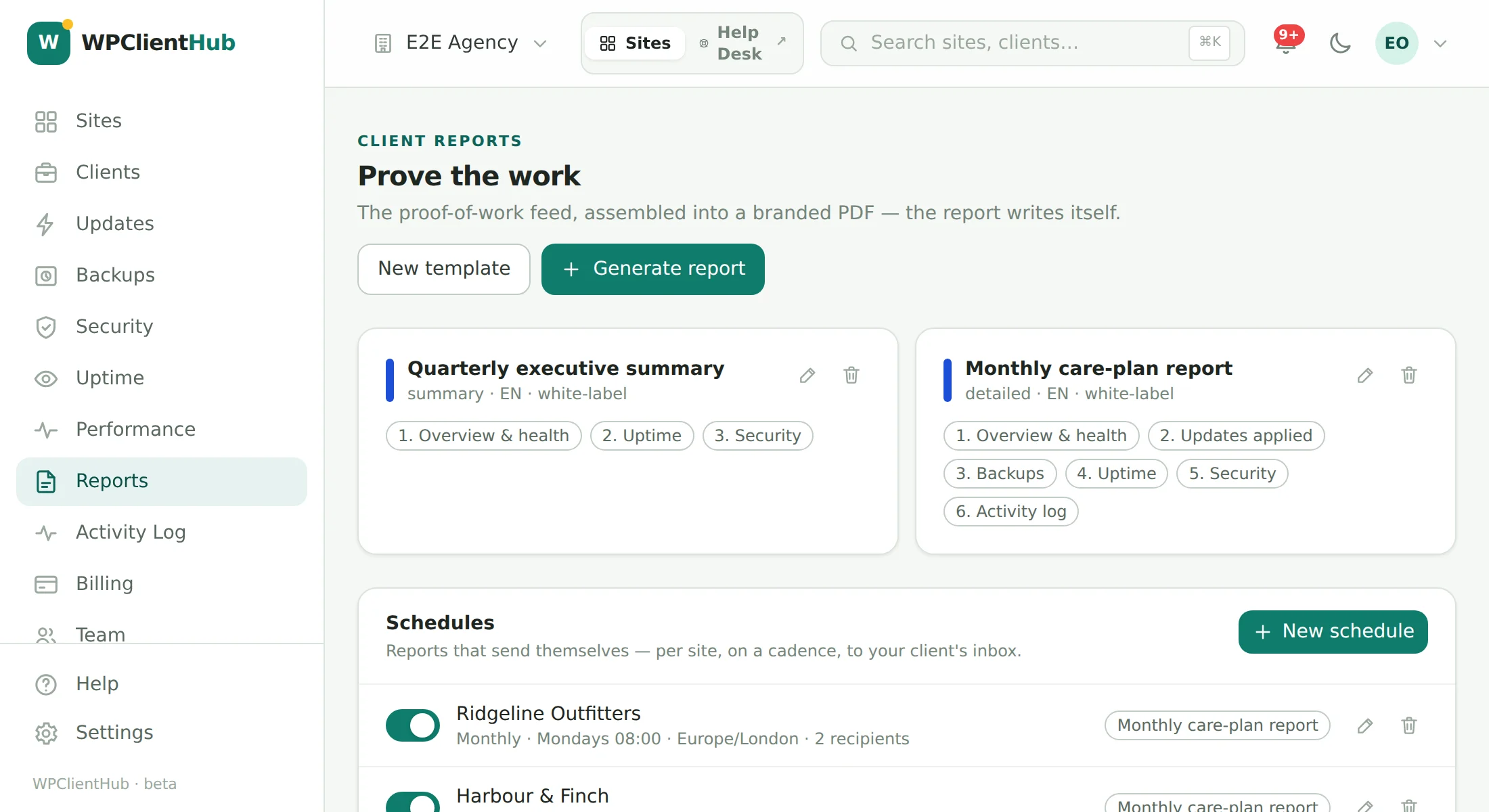
A front door your clients will actually use
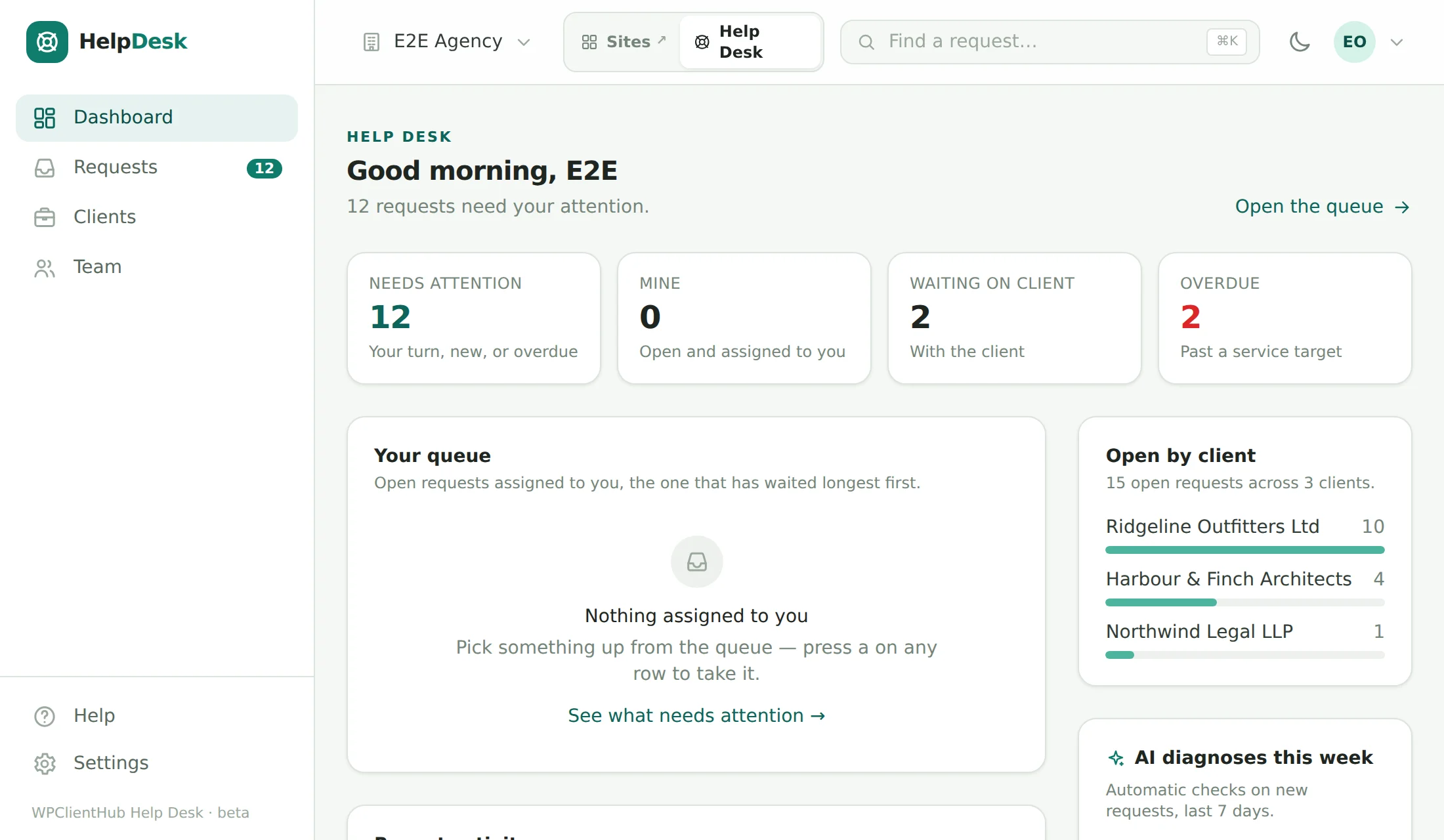
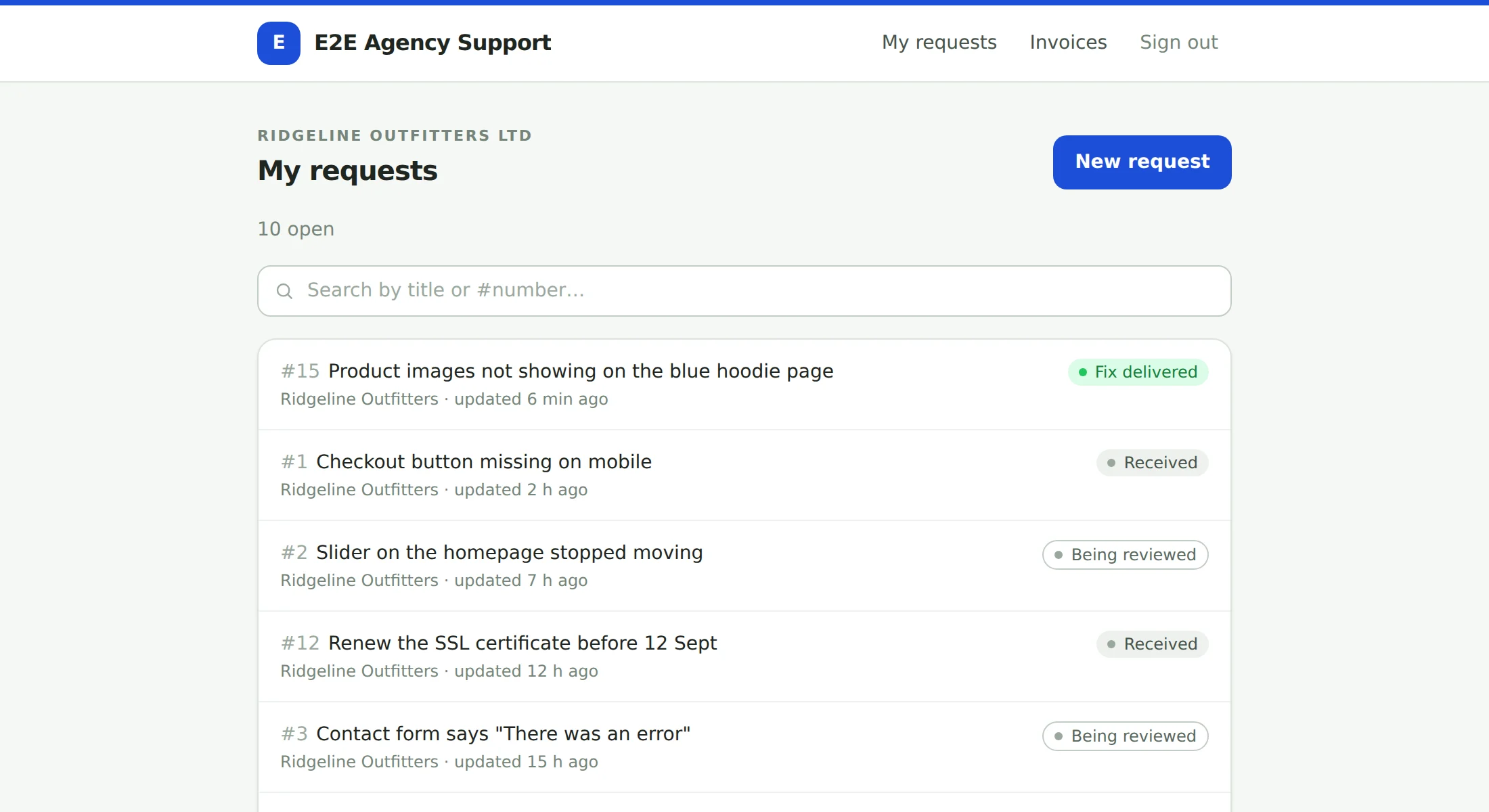
The Help Desk is its own product surface — helpdesk.wpclienthub.com for your team, and a client portal on your domain for theirs — sharing one account, one sign-in and every site fact the rest of WPClientHub already knows. Clients open requests in their own words; you work them with evidence, estimates and a timeline they can follow. Included on Agency and Scale, and on the 14-day Agency trial every new account starts with.
- Magic-link portal on your domain: no client passwords; a 15-minute single-use link, throttled and enumeration-safe. Add your domain, prove it with a TXT record, and the certificate is issued on first visit. Your name, logo and colour on every page and email.
- Clients see exactly enough: status, replies, a plain-language “where things stand” timeline, and estimates they approve or decline with one click — never internal notes, agency-only evidence, unsent prices or another client’s data.
- Work the queue, not the inbox: Needs attention, Mine, Waiting on client; service-level countdowns; assign, reprioritise and resolve in bulk; CSV export; j / k / a / x from the keyboard.
- Estimates from the diagnosis: line items, assumptions and an ETA drafted from the AI’s priceable hint, sent from the request, expiring in 14 days with a reminder at 48 hours — and “we’ll fix it ourselves” when it’s on you.
Also built in: a docs-backed help chat for your own team with a real handoff to the people who build WPClientHub — the same help desk, pointed at us.
Diagnosis with the evidence attached
When a request arrives, WPClientHub reads it alongside the site’s own facts — versions, plugins, recent changes, the activity log — and writes back a probable cause, the evidence, a suggested category and severity, and how confident it is. Below 50% it says “needs a person” rather than guessing. The same engine answers Ask AI on security findings and deep questions in the help panel.
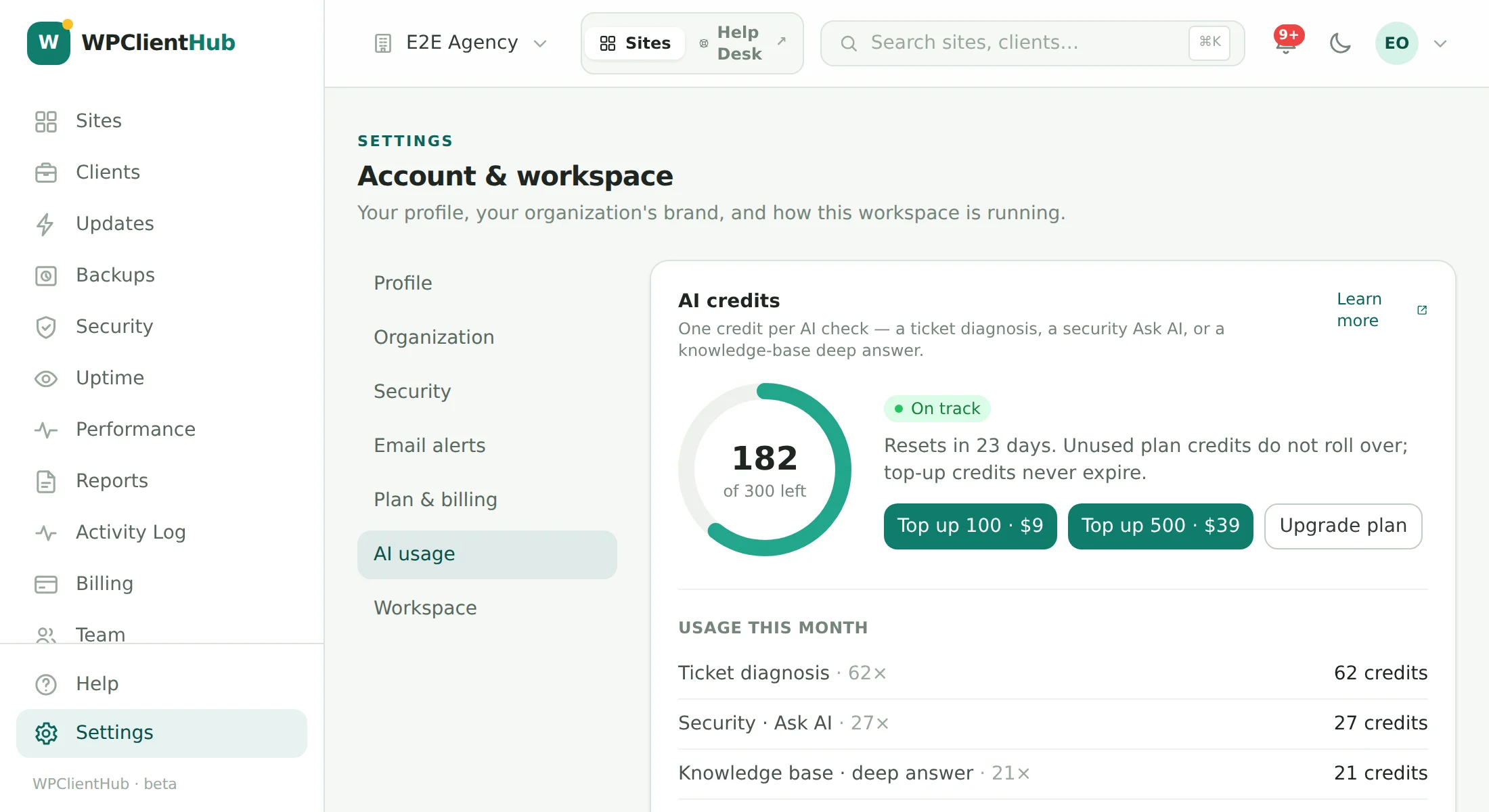
- One currency, one credit per check: a ticket diagnosis, a re-run, a security Ask AI, a knowledge-base deep answer. Ordinary help-panel answers cost nothing.
- Charged before, refunded on failure, never queued at zero — and an append-only ledger under Settings → AI usage shows every grant, charge and refund.
- Included on every plan, topped up when you need more: 20 credits a month on Free, 50 on Studio, 250 on Agency, 1,000 on Scale — plus 100-credit ($9) and 500-credit ($39) top-up packs from Settings → AI usage, spent after your plan credits and never expiring. A banner and an owner email at ten left.
- Client-safe by construction: the technical diagnosis is agency-only; a plain-language summary can be shared with the client with one toggle, and re-runs are capped at three per request per hour.
Diagnoses run on Anthropic’s Claude models. Your requests and site facts are sent to produce the answer and are never used to train anything.
Tell Slack. Page the on-call. Digest the rest.
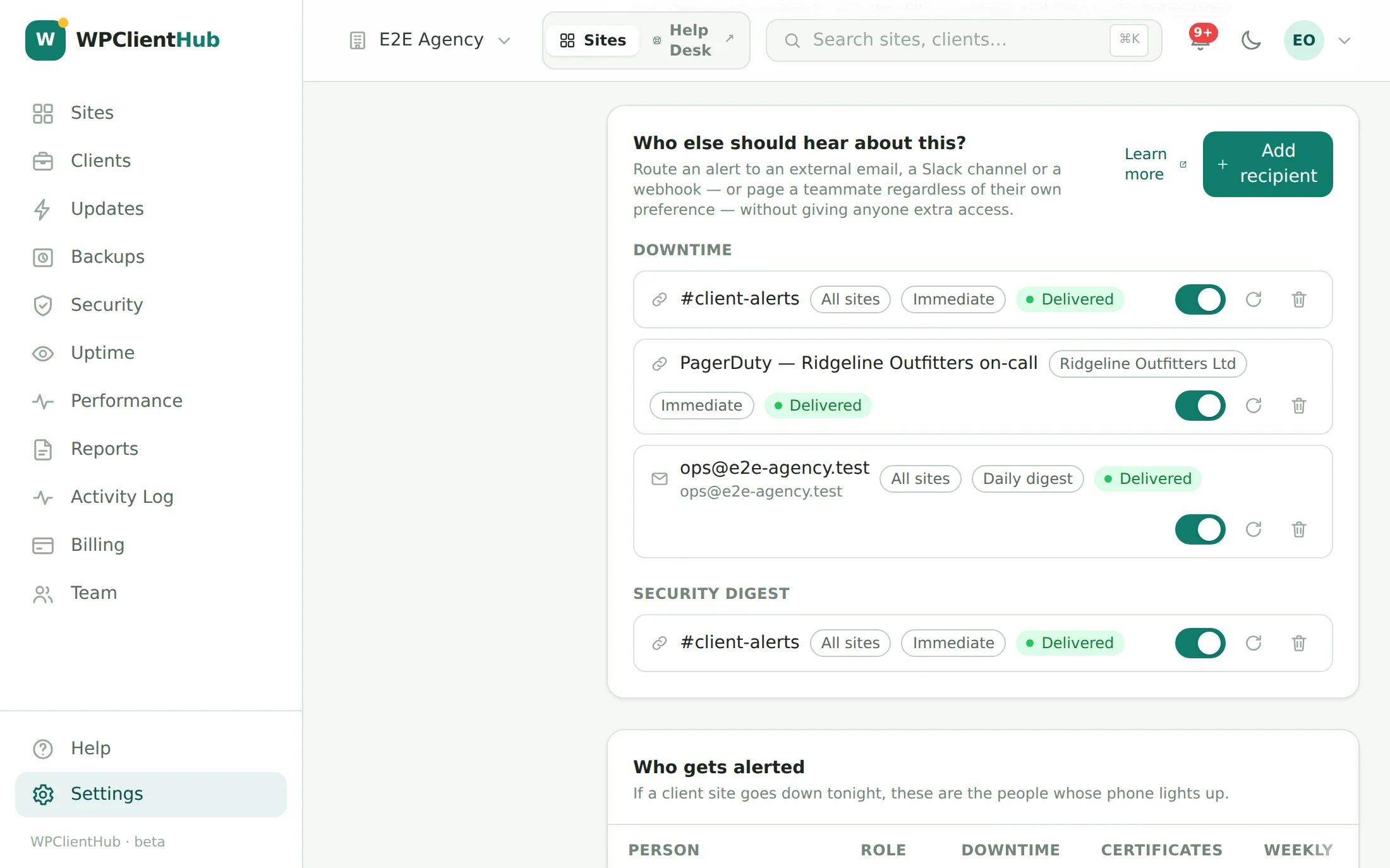
Every alert kind — downtime, certificates, failing backups, a plugin gone dark, a security event on a site, a new request, an estimate decision, the weekly security digest — can go somewhere besides your inbox: a Slack channel, a signed webhook, an outside email address, or a specific teammate, scoped to one client or one site.
- Routes, not rules: pick the alert, pick the destination, pick immediate or a daily digest, hit Send test. Owners and admins only.
- Webhooks you can trust: every delivery carries an X-WPClientHub-Signature HMAC over the body with a per-route secret shown once, three retries with backoff, and the last error recorded per route.
- Slack gets Block Kit — a readable card with the site, the incident and a deep link — not a JSON dump.
- Personal alerts stay personal: eighteen kinds, one-click RFC 8058 unsubscribe with Undo, every timestamp in your timezone, and a “who gets alerted” roster so you know whose phone lights up tonight.
Care-plan revenue, next to the work that earns it
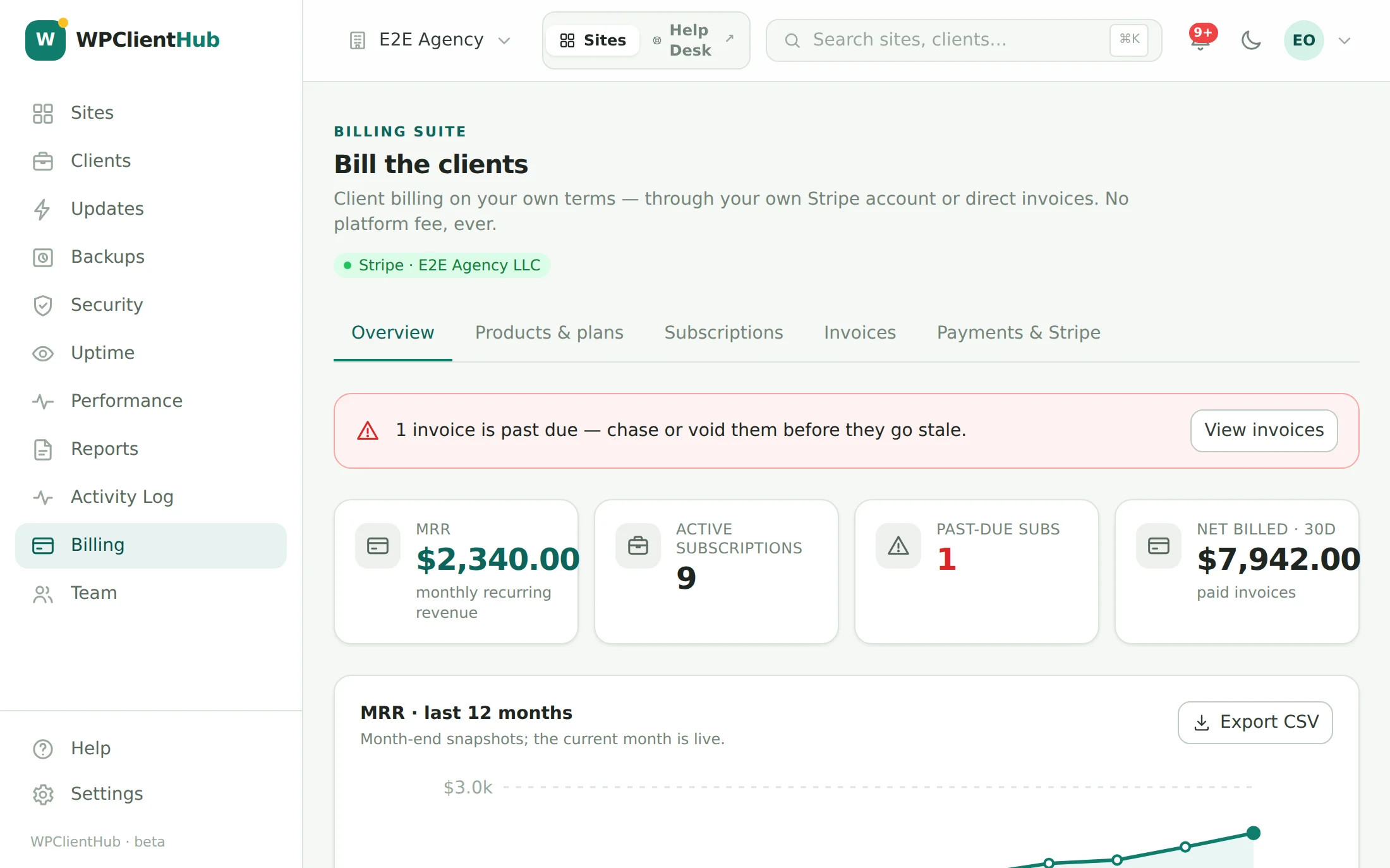
Client billing runs on your own Stripe account — connected with a restricted API key, no Stripe Connect, no platform in the middle — or with no processor at all. Define products and plans, attach clients and their sites, and let invoices, subscriptions, and dunning run themselves, with an MRR dashboard on top.
- Your money never touches us. Paste a restricted key from your own Stripe account and everything — customers, subscriptions, invoices, payouts — lives in your Stripe. No Stripe? Invoice directly: bank, ACH, wire, UPI, PayPal or any payment link, and mark invoices paid. No platform fee on any plan.
- Recurring invoices and a client portal: every subscription raises a numbered, branded PDF invoice each period, emailed to the client and waiting in their portal with a Pay button — Stripe’s hosted page, or your own link and payment instructions.
- One-time and recurring plans, plan-line or free-form invoices, void, mark paid, change plan — model your real care-plan ladder.
- Dunning built in: reminders at 3, 7 and 14 days past due, and an opt-in pause of a client’s sites at 21.
- MRR, active subscriptions, past-due, net billed, revenue by client — twelve months of month-end snapshots, exportable — the agency’s health metrics, always current.
The whole studio, with the right blast radius
Everything in WPClientHub belongs to an organization, and every person in it has one of four roles. Invite a contractor without handing them the Stripe account; give a client-services lead read access without the ability to push an update at 4 p.m. on a Friday.
- Four real roles — owner, admin, tech, viewer — enforced on the server, not hidden in the UI. Restores and plugin rollouts are owner/admin only; who works the help desk is a per-member toggle.
- Two-factor authentication with an authenticator app and ten single-use recovery codes — and an owner can require it for the whole organization. Sensitive actions ask for your password again.
- Sessions you can see and end: device, IP and last active for every sign-in, one click to sign out everywhere else; changing your password does it for you.
- Invitations that expire in seven days, with one reminder; change a role inline; remove someone and their access ends with the click. Viewers are never paged.
Your Cloudflare, purged the moment the update lands
On Scale, connect your own Cloudflare account with a scoped API token and link each site to its zone — found by domain, or picked from the list. We call Cloudflare’s API with your token; we don’t proxy your traffic or sell Cloudflare plans, and Cloudflare’s free plan works.
- Purged after every safe update, rollback and restore — automatically, per site, with a plain line in the activity log (“Cloudflare cache purged after update batch #12”). Rate limits are retried with backoff; a missing token permission is named, not shrugged at.
- Purge cache and Development mode on the site page, with the time Cloudflare will switch development mode off by itself.
- SSL and DNS checks, daily: SSL mode (Off and Flexible flagged — Flexible is the classic WordPress redirect loop), Always Use HTTPS, whether the site’s record is proxied, and whether an edge certificate covers it — in the Security report with the fix spelled out.
- Cache stats in client reports: requests, share served from cache, bandwidth saved and threats blocked for the last 7 and 30 days, from Cloudflare’s own analytics.
Your name on the plugin, on every client site
The WPClientHub One plugin is the one piece of WPClientHub your clients can see. On Agency and Scale, Settings → White label shows it under your agency’s name instead — on every connected site at once, with a live preview of the Plugins row and the admin menu before you save.
- Your name, description, author and link on the Plugins screen, in Dashboard → Updates and in WordPress’s own update messages. The plugin’s folder and file never change, so updates keep working.
- Your menu label and icon — under Settings or as its own menu item, with a Dashicon or your own SVG (sanitized by us and again on the site; nothing is loaded from anywhere). Or keep its page out of the menu.
- Hide it from the Plugins list for everyone except the WordPress login you name, with no Deactivate or Delete link for anyone else, and “WPClientHub” replaced in the plugin’s own notices and its sign-in-link page. Your support link and email go where ours were.
- Per-site status: applied, pending, not applied (with the reason), plugin too old — and leaving Agency puts every site back on the standard plugin on its next sync, with your settings kept for when you return.
Straight about it: a site’s administrator always has the last word. One line in wp-config.php — define( 'WPCH_SHOW_CONNECTOR', true ); — shows the plugin under its real name for everyone, WP-CLI always lists it, and its WordPress.org listing still says WPClientHub. We tell you when a site has revealed it.
What changes, and what can’tClient emails from your own address
Reports, help desk sign-in links, request updates, estimates and invoices reach your clients from support@youragency.com — not from our address with your name on it. Settings → Email sending shows the DNS records to add, checks them, and switches over by itself once they pass.
- Signed for your domain: a DKIM key and a bounce (Return-Path) host on your domain, so DMARC passes on alignment and inboxes show your domain — no “via” line.
- One SPF record, never two: if you already have one, we show it with our include merged in, and warn you before it passes SPF’s 10-lookup limit. No DMARC record? We suggest one at p=none and never block on it.
- Checked every day. If a required record breaks, client emails go back to our address at once — your name on them, replies still to you — and you get an alert. Nothing is sent from your domain unless it is signed.
- See it before your clients do: From and Reply-To for every client email, type by type, and a test email to yourself through the same pipeline.
Straight about it: emails to your team — alerts, digests, invitations — still come from WPClientHub. Leaving Agency sends client emails back to our address; your domain and its records are kept for when you return.
Which DNS records, and whyLighter images, on the client’s own server
Every JPEG and PNG in a site’s media library — the served full size and every registered size — compressed, stripped of metadata, resized when oversized, and given WebP and AVIF copies that browsers get automatically. It runs with the PHP image library the server already has: no third-party service, no CDN, no image ever leaves the site.
- Lossy or lossless, your quality: JPEG at the quality you choose (82 by default), PNG at best compression, the EXIF orientation applied before the metadata goes, and a file only replaced when the result is smaller. With Imagick the colour profile is kept.
- Next-gen copies, served the right way: photo.jpg.webp and photo.jpg.avif next to each file; on Apache and LiteSpeed a few rewrite rules serve them to browsers that accept them (checked with a request to the site, Vary: Accept), on nginx the page rewrites <img> to <picture> and you get a snippet to paste.
- New uploads as they arrive, the library on a nightly run or on demand — in small batches with live progress and a Stop button, never during a backup or a restore. Oversized uploads get a -scaled copy the way WordPress makes one.
- Undo, always: every file that is changed is kept first in a protected folder on the site. Put one image back by its ID, or all of them. Totals in the Overview card, the Activity Log, client reports and the API.
Straight about it: AVIF depends on the host — its PHP image library has to be built with AVIF support, and the tab says when it isn’t (WebP still works). If Smush, ShortPixel, Imagify, EWWW, Optimole or TinyPNG is already on the site we say so, show their savings where they publish them, and stay out of the way unless you switch us on. There is no CDN here — the Cloudflare integration on Scale handles caching, and we purge it after a run. WordPress already lazy-loads images, so we don’t add that.
Settings, serving and restoreBuild the client’s forms here, read every entry in one inbox
A drag-and-drop form builder in WPClientHub, published to each client site through the plugin, and a Forms inbox that collects every entry from every site — including the entries of Gravity Forms, WPForms, Fluent Forms, Contact Form 7 (Flamingo) and Ninja Forms where a site already uses them.
- Seventeen field types, conditional logic, multi-step: text, email, phone, website, number, paragraph, dropdown, radios, checkboxes, date, time, hidden values, file upload, consent, heading, text block and page break. Show, hide or require any field by other answers — decided on the server, not just in the browser — with steps and a progress indicator. Four templates to start from, a live preview, a draft that saves itself.
- Spam handled before it reaches you: a honeypot, a signed time-to-submit check and a per-visitor rate limit on every form, plus Cloudflare Turnstile, hCaptcha or reCAPTCHA when you add the keys. Uploads are checked by their contents and kept in a web-denied folder on the site.
- Accessible, theme-inheriting, no jQuery: labels, legends, described-by errors and an error summary that takes focus; a small stylesheet that uses the theme’s fonts, colours and button style; a form that still works with JavaScript off. Add it with a shortcode or the Form block.
- One inbox, then a ticket: filters by site, form, status and date, search across the answers, one-time file downloads, CSV export, a per-form “alert my team” switch through your email, Slack and webhook routes — and Create help-desk ticket from entry with the answers as the description.
Straight about it: entries live on the client’s site and in your WPClientHub account, nowhere else; the Activity Log and client reports only ever carry counts. Other plugins’ entries are read, never changed — and where a plugin keeps none on the site (WPForms Lite, Contact Form 7 without Flamingo) we say “installed, entries unavailable” instead of guessing. Leaving Agency keeps every published form working on its site; only the inbox stops collecting.
Fields, logic, spam, embeddingWire WPClientHub into the rest of your agency
On Scale, a versioned REST API reads everything the dashboard shows and starts the same safe actions its buttons do — and signed webhooks tell your tools the moment something happens. Build a client dashboard, page your on-call, or open a ticket from a form.
- Read it all: sites with health score, plugin version, pending updates, last backup and uptime; update batches; restore points; incidents; security findings; clients; tickets; client reports with a short-lived PDF link; the Activity Log. Cursor pagination, one error shape, an OpenAPI 3.1 spec.
- Start things safely: a sync, an update check, a backup, or a safe update batch — restore point first, visual check after, and your approval setting respected. Nothing in v1 deletes, restores or disconnects.
- Keys you control: scoped (read-only, Zapier, or pick scope by scope), optional expiry, shown once and stored as a fingerprint, last used time and IP, 120 requests a minute each, revoke in one click.
- Signed webhooks: site down and back up, backups, updates, new vulnerabilities, new tickets and replies, expiring domains — HMAC-SHA256 with a timestamp, retried for about a day, a delivery log with every response, and a test button.
Straight about it: our Zapier app is invite-only until Zapier lists it in its directory — ask us for the invite. The API isn’t part of the Agency trial, and notification routes (Slack, a webhook URL, extra emails) stay on every plan.
Read the API docsPick a site count, not a feature list
Updates, backups, uptime, security, caching, SEO Health, AI Visibility and client billing on every tier. White-label PDF reports, Search Console, on-demand AI scans, SEO management, WordPress user management and Google Drive & Dropbox backups start on Studio; the client help desk, the portal, the white-label plugin, image optimization and client emails from your own domain on Agency; the Cloudflare integration and the public API on Scale. Free for your first three sites.
No credit card · connect your first site in about a minute